
Performance management software with AI to answer every question.
PerformYard's AI-enhanced performance management software saves your team hours by surfacing every insight from reviews, goals, meetings and surveys.




AI-Powered Tools for Every Part of Performance Management

Summarize Feedback at a Glance
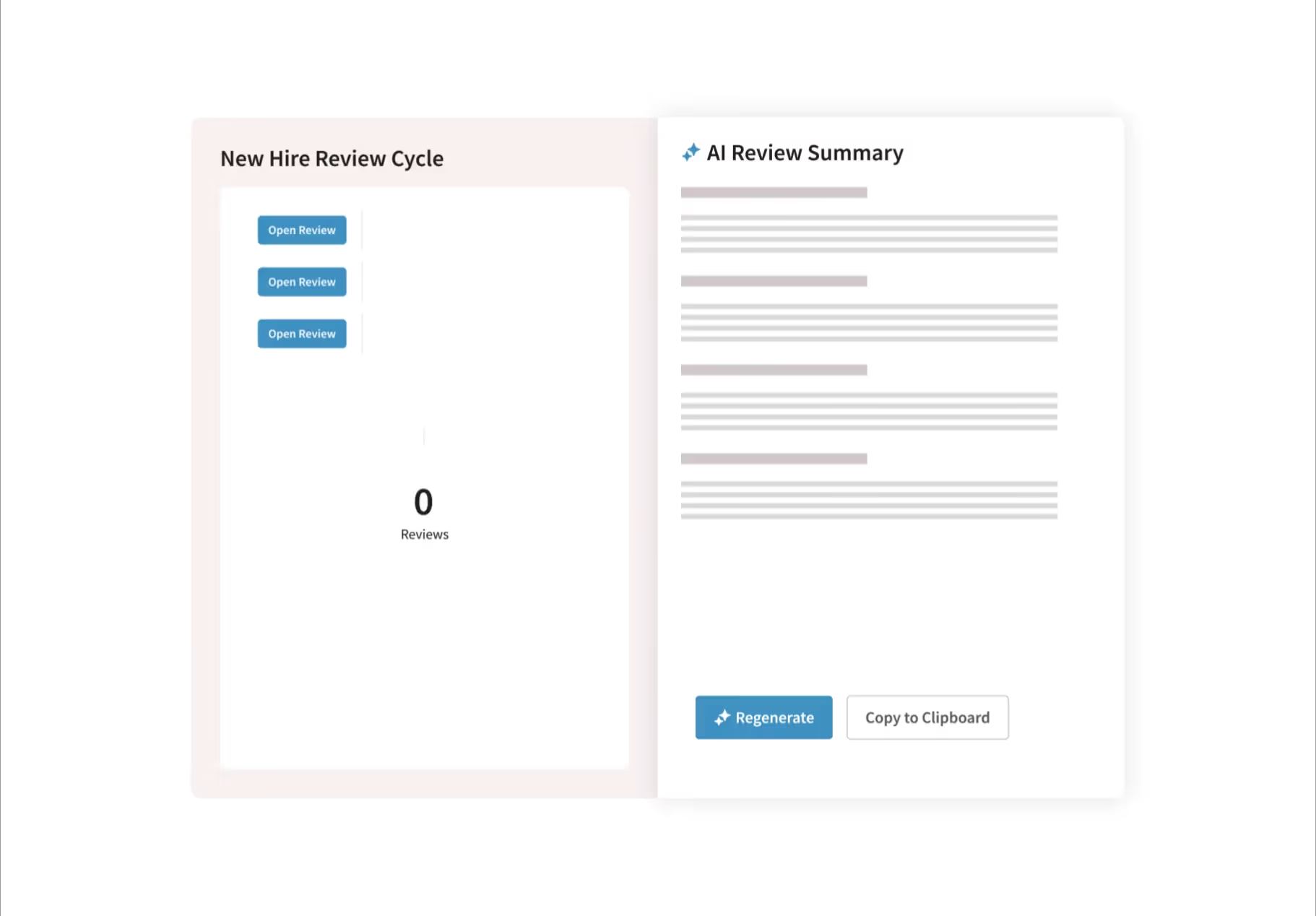
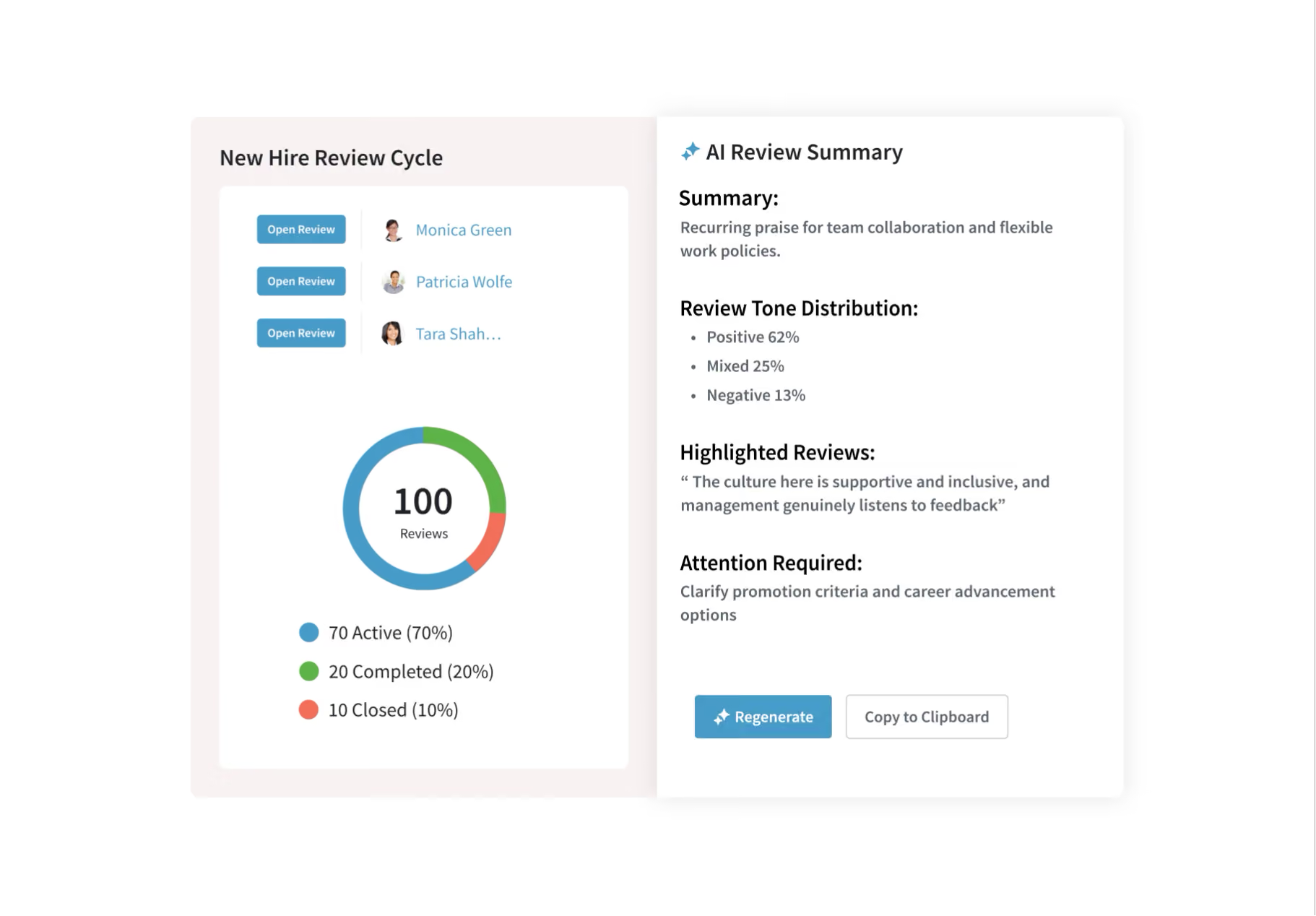
PerformYard AI instantly summarizes performance reviews, engagement and 1:1 meetings for individuals, teams, or the entire organization.

Take Recommended Actions
PerformYard AI understands how organizations win, and gives managers and HR recommendations based on multiple sources of employee data.

Give Managers an AI Assist
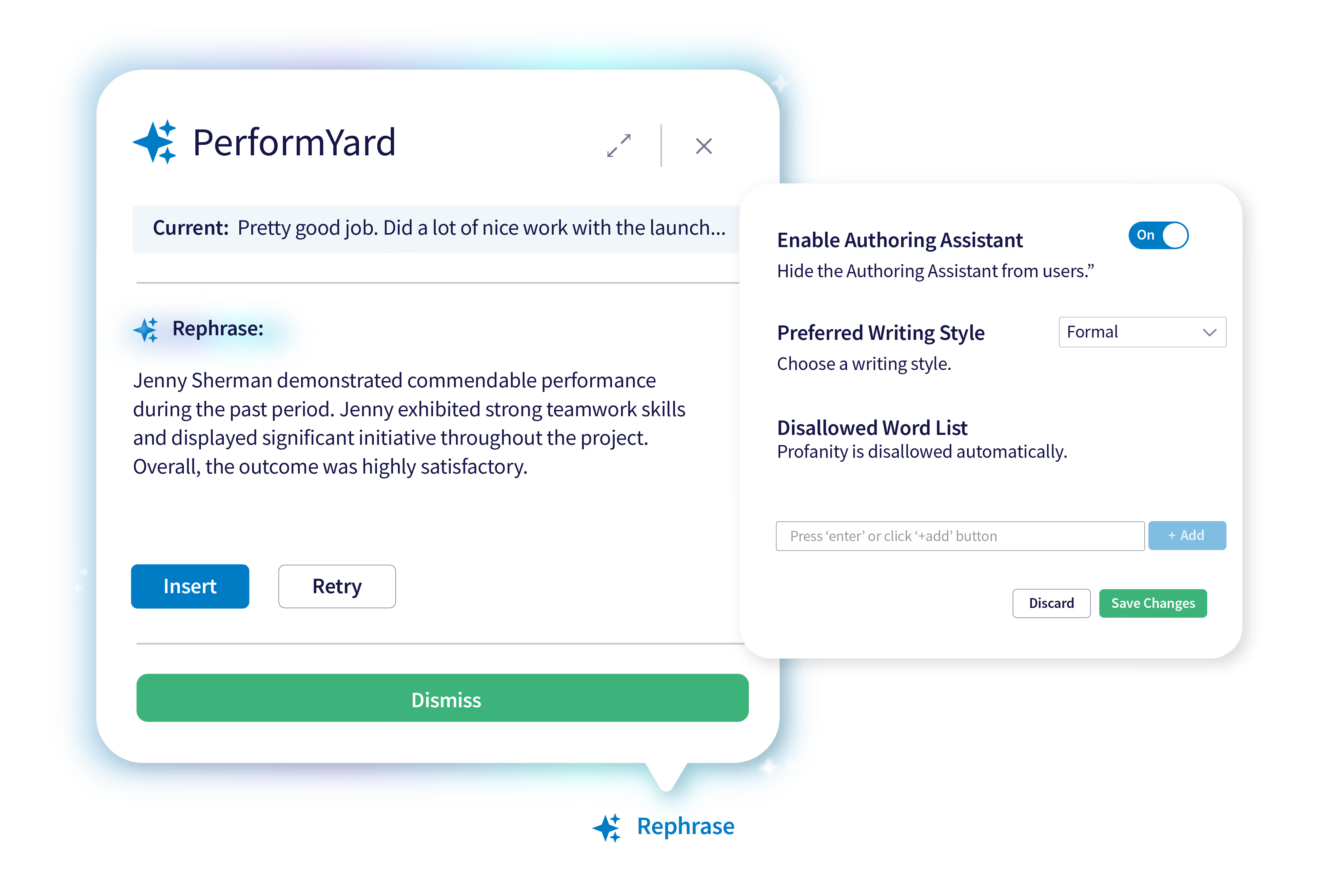
PerformYard AI Review Assist enhances feedback quality and consistency across your organization by providing managers with intelligent writing support.
PerformYard has everything we need to run our performance review process and is very easy to use. It’s enabling our performance program while we grow rapidly, helping us scale effectively.

One of our owners told me that PerformYard’s style and design have employees actually being thoughtful about the completion of their reviews and engaged in the process. That's a win!

It’s so easy to set up a review cycle, send it out, have our employees fill it out, and track who has completed their form and who still needs to finish.

Since using PerformYard, our employee evaluation and review process has gone from a time-consuming and stressful task to an easy and manageable routine.

AI Review Assist Provides Intelligent Writing Support
PerformYard AI provides real-time writing suggestions that streamline and elevate review content, helping managers deliver more meaningful feedback in less time. The result is more impactful performance conversations that support real employee development.
AI Summary for Individual
Reviews
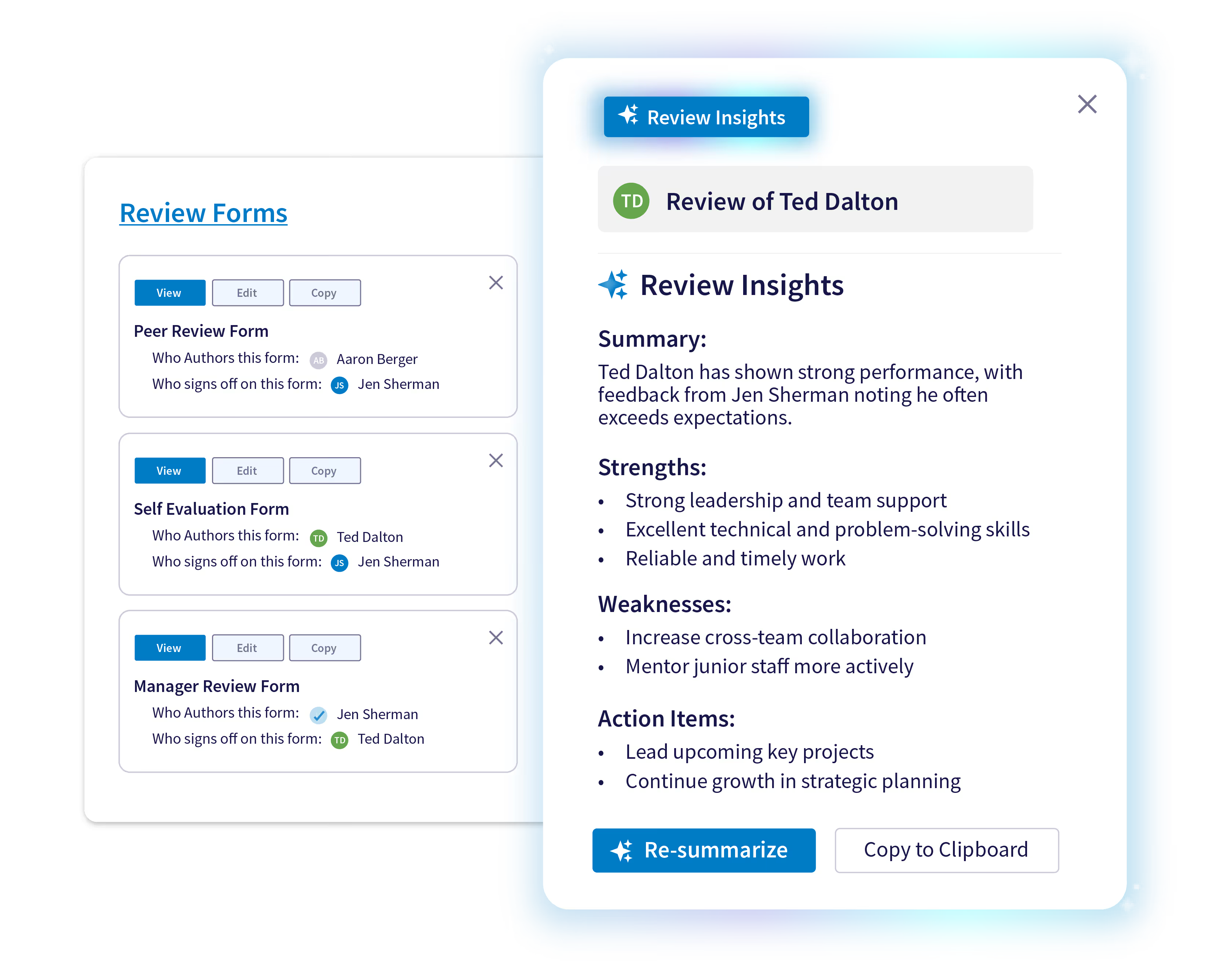
PerformYard AI helps you make sense of review responses by summarizing performance feedback into clear, actionable insights.
Streamline performance evaluations with AI that condenses all the forms from an employee’s review into a single, coherent summary with suggested action items.
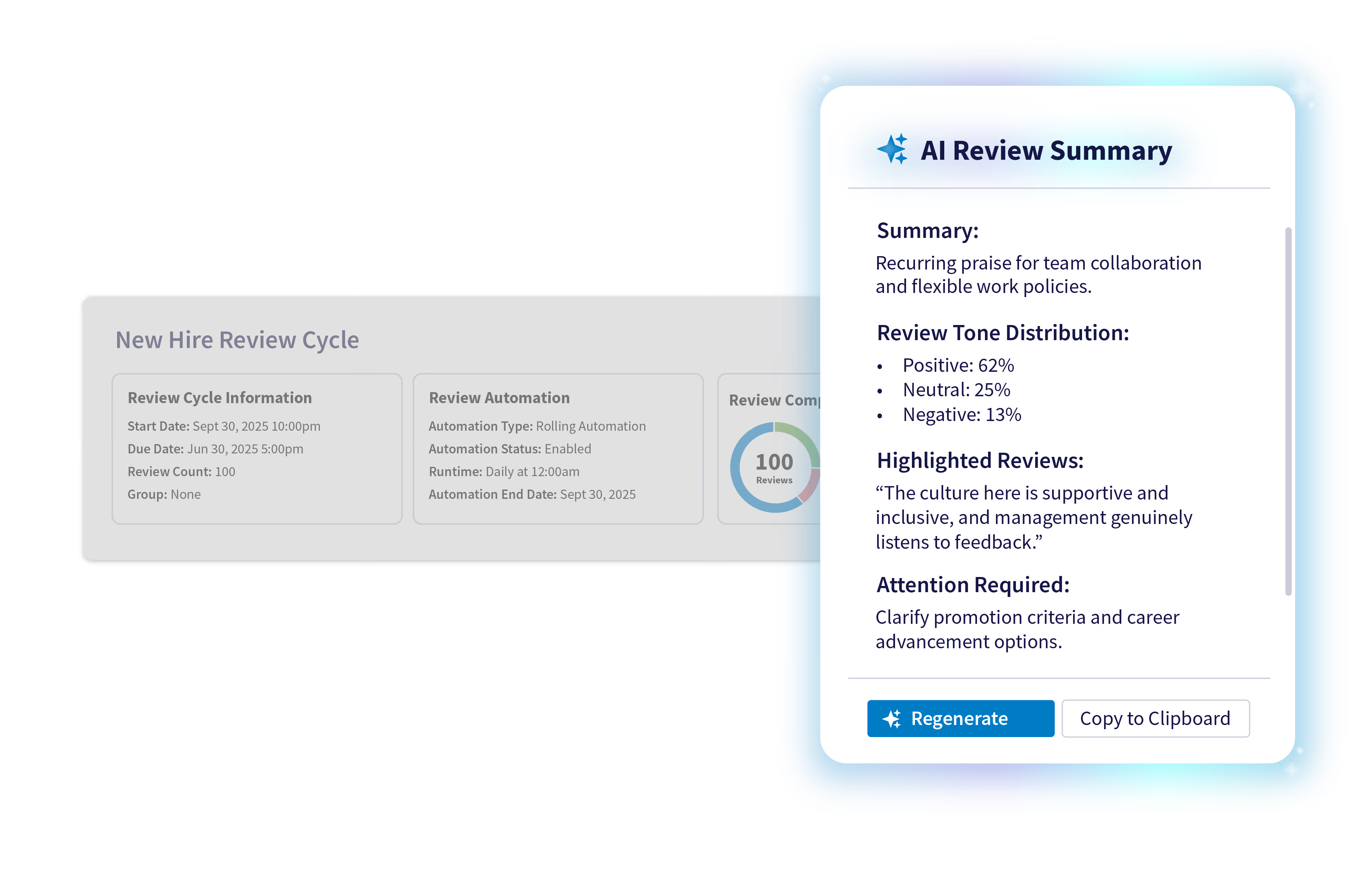
AI Summary for Full Review Cycles
Summarize review sentiment across a whole review cycle with multiple employees. Get instant advice on how to address issues from a team, department, group of new hires, or other employee cohort.
Engage AI Recommends Post-Survey Action Steps
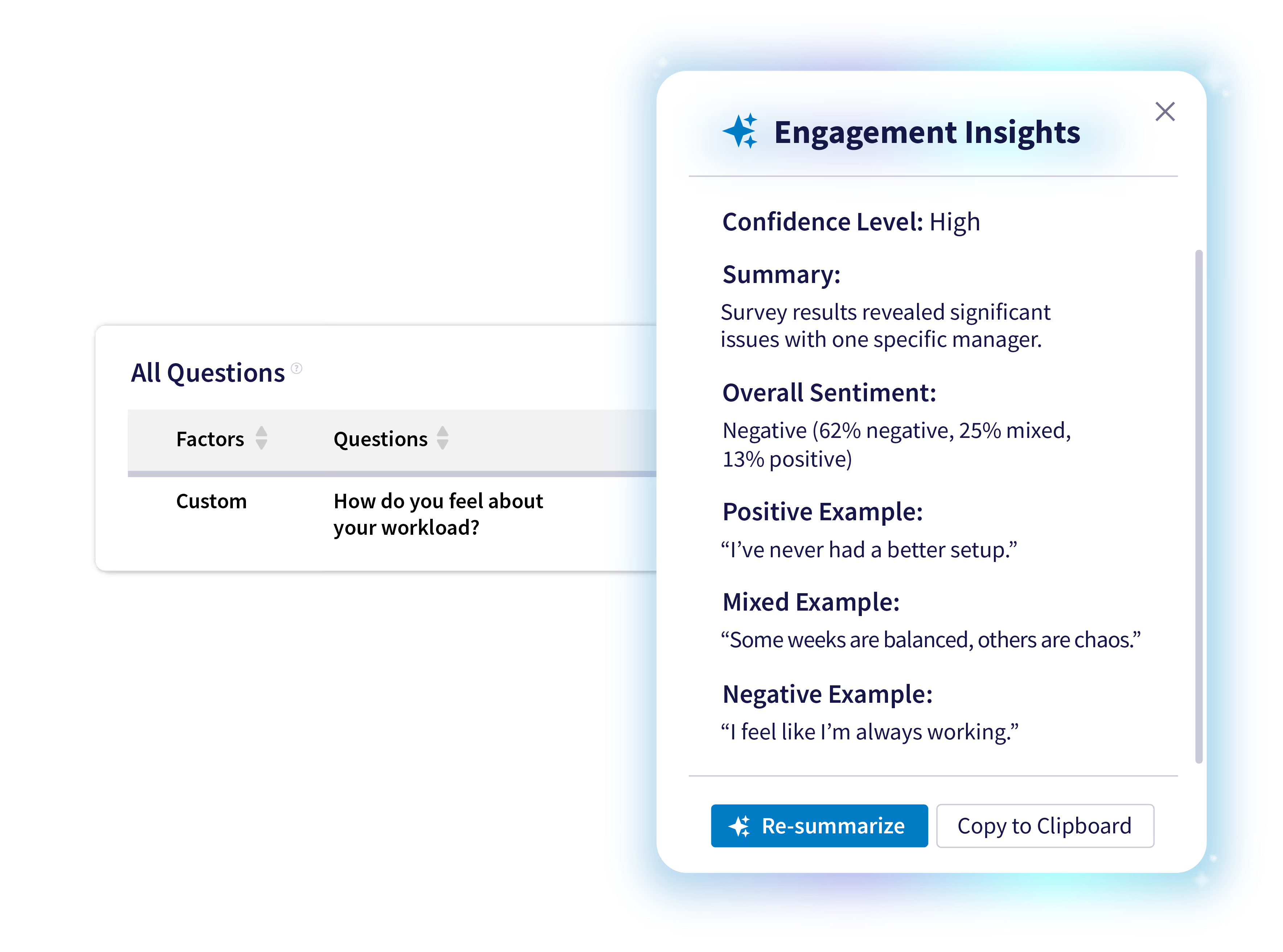
PerformYard Engage AI synthesizes hundreds of text responses and employee cohort comparisons to find key themes, cutting days of manual work and freeing up your team to focus on strategic initiatives.
The AI overlay on PerformYard provides actionable recommendations using survey responses and cohort analysis, like those for managing promoter and detractor relationships, or identifying the needs and possible outcomes for managers and departments that may need additional focus.
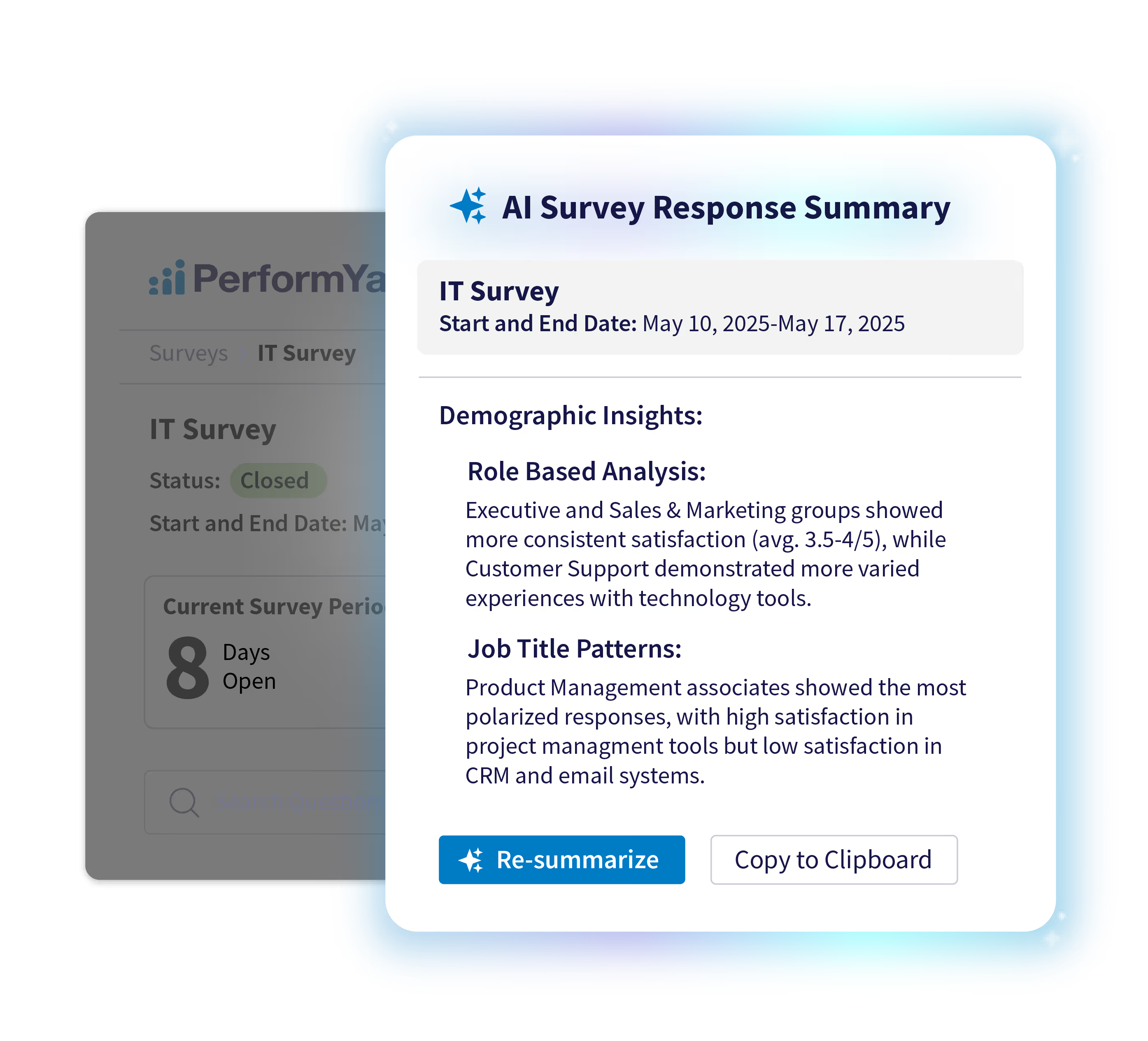
AI Surveys Make Feedback More Meaningful
PerformYard AI synthesizes responses to surface key themes and underlying issues, ensuring your survey data is immediately centralized, connected, and actionable.
Confidently walk into meetings with a clear, data-backed narrative about your organizational health.
Transform 1:1s with AI Summaries
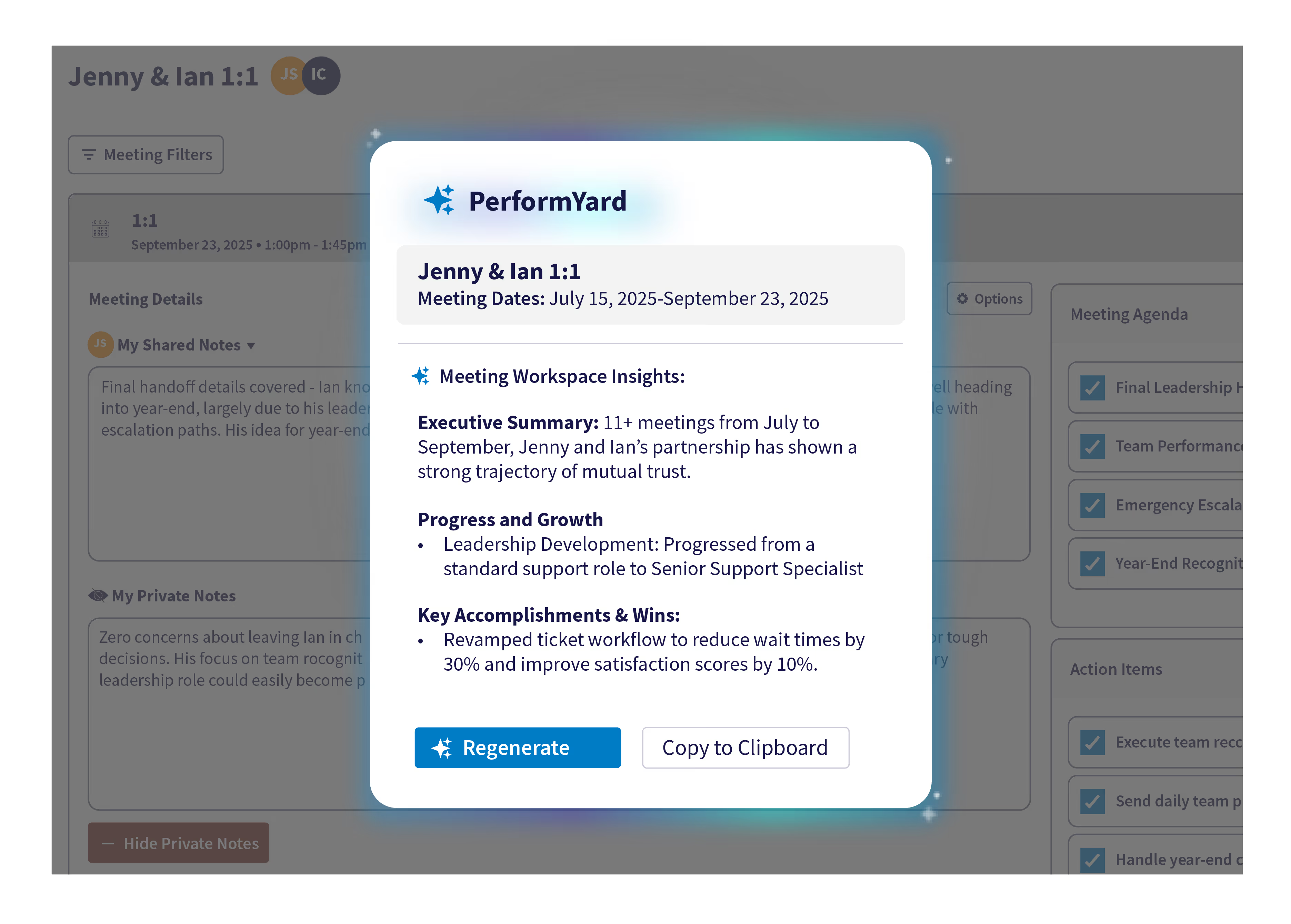
PerformYard’s AI-powered Meetings tool simplifies meeting management, providing instant, actionable intelligence for everyone.
PerformYard AI highlights key discussions on growth, collaboration, and strategy, ensuring employees stay aligned and focused on what matters.
HR and admins can pull up a high-level overview of accomplishments and key discussions across all teams. Identify trends, inform strategic decisions, and understand organizational health without sifting through individual notes.
Instant Answers to Every HR Question
Ask PerformYard is conversational AI that empower employees and managers to get instant, accurate answers to policy and resource questions. Employees ask questions in natural language and receive accurate answers from your company's knowledge base in seconds
Reduce HR's administrative burden while improving the employee experience.

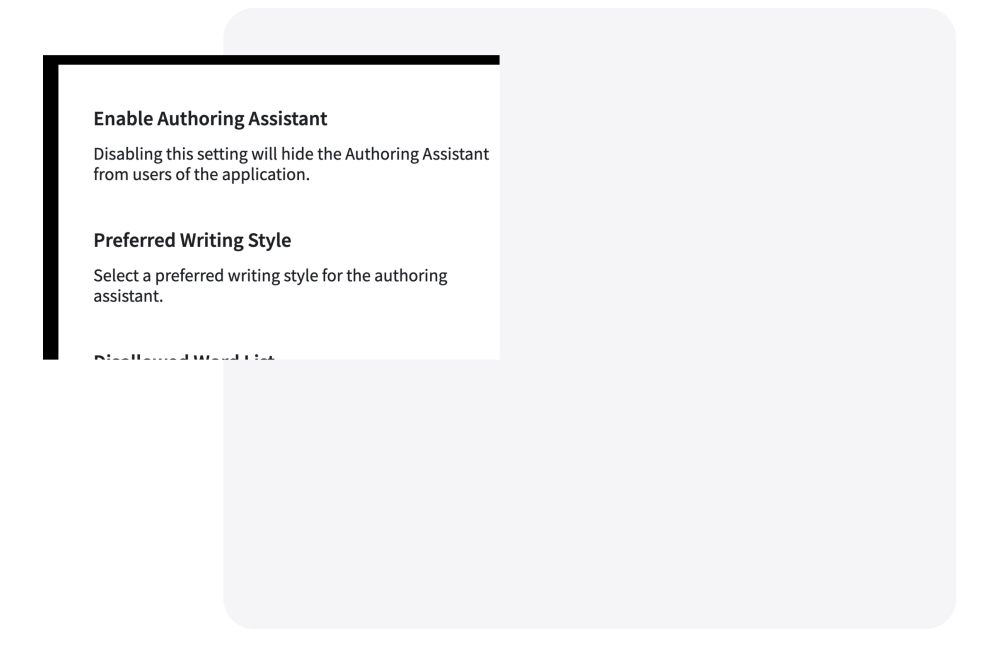
Full AI Controls for HR Admins
PerformYard’s AI features support multiple writing styles, including casual, business professional, and formal. It also respects exclusion rules for specific words or phrases.
The AI Review Summary feature allows for HR to exclude selected content or questions from summaries, with full control through simple on/off switches.
AI-Powered Goal Creation That Aligns Your Team
Transform goal setting from a dreaded administrative task into a strategic conversation. AI Goal Creation helps employees draft specific, measurable goals that align with company objectives instantly
.avif)
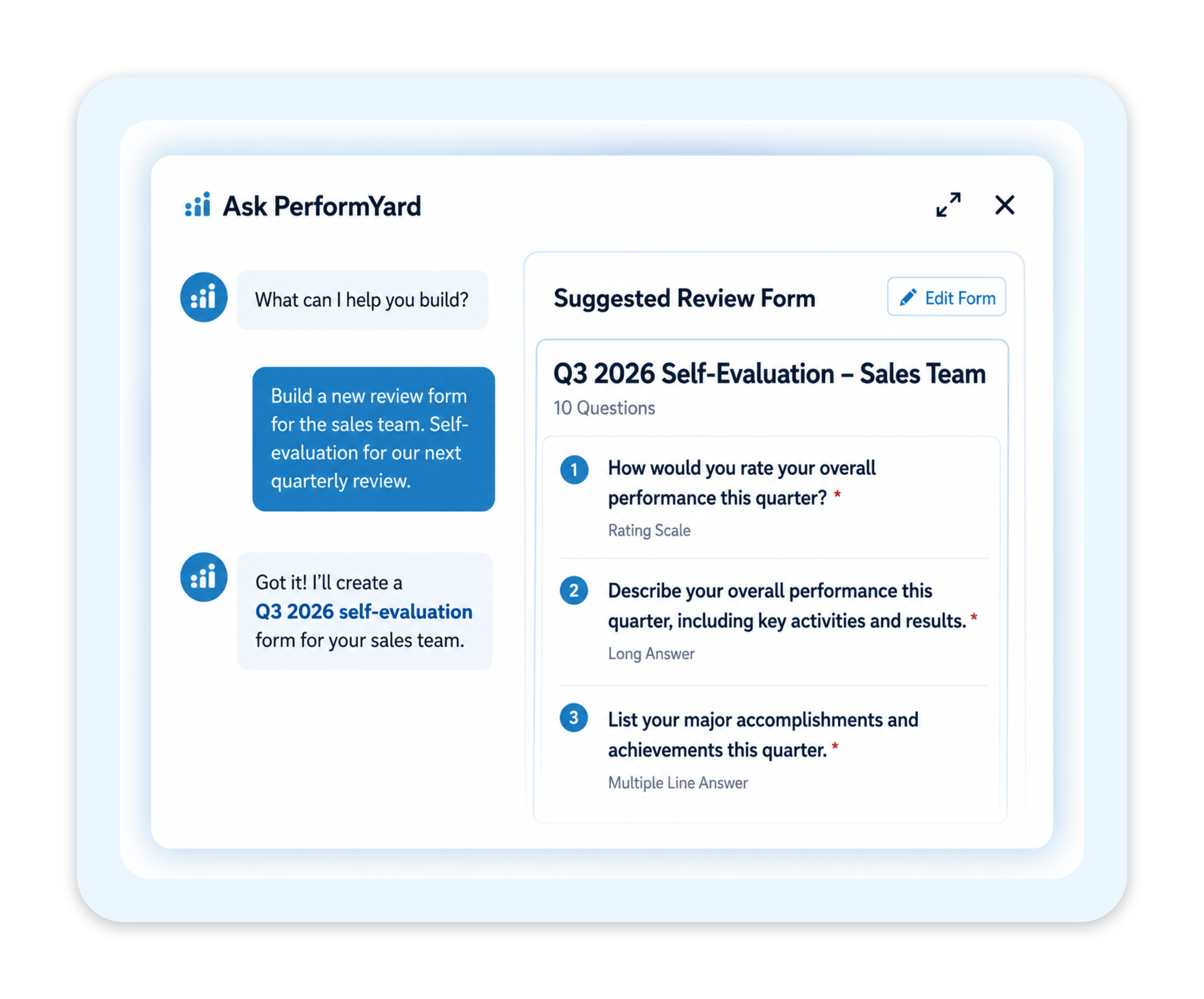
Creating Review Forms is Now a Simple Conversation
Describe the review form you need (a quarterly self-evaluation, a 360 with competency tracking, anything in between) and PerformYard builds it in seconds.
Go back and forth in the chat until it's exactly right, no 40-click setup required. It's a two-minute conversation instead of a form-building project.
Your Complete Performance and Development Toolkit
Performance Reviews
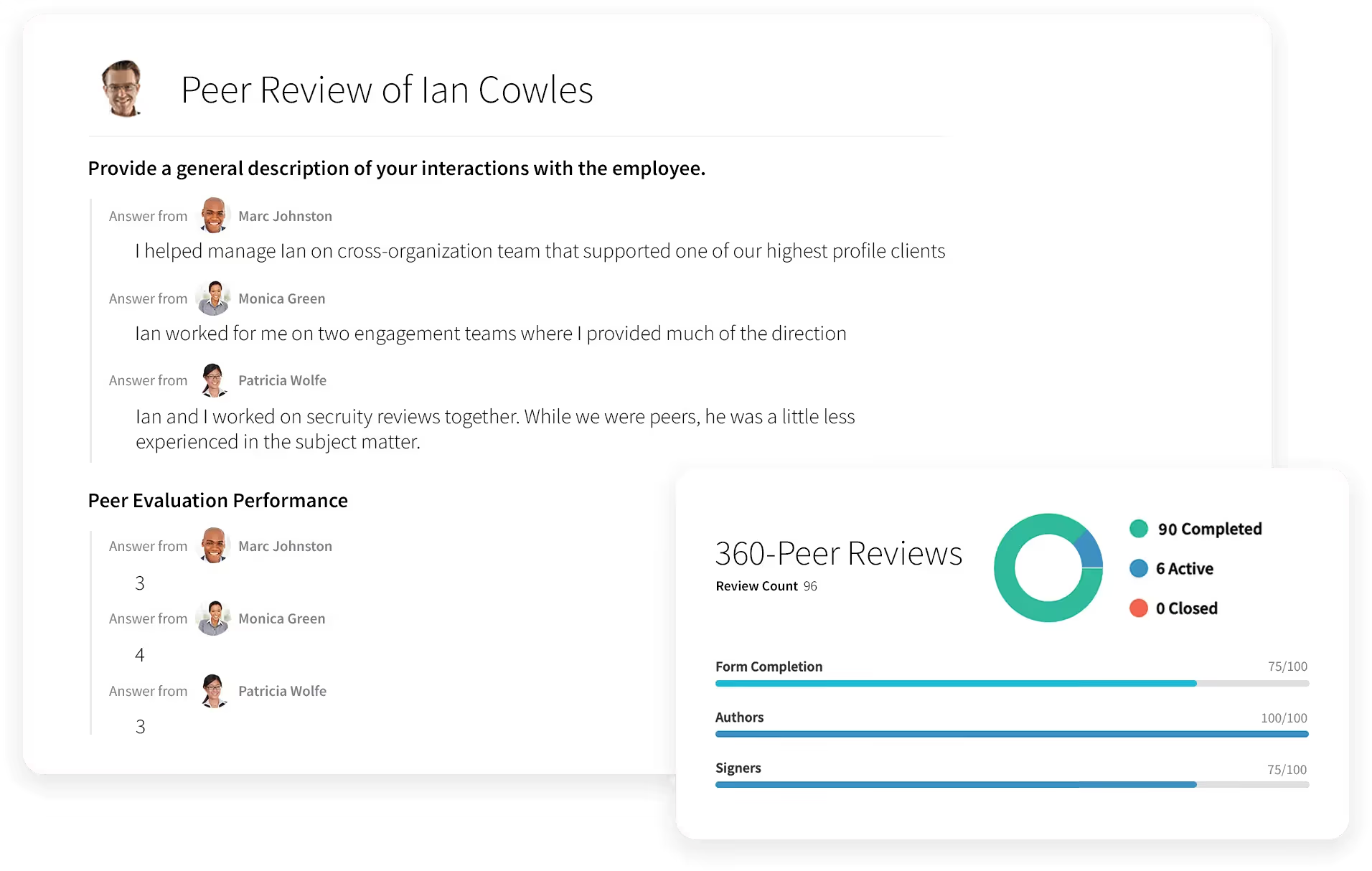
Run Performance Reviews That Actually Drive Growth
- Employee appraisals
- 360 degree feedback
- Quarterly check-ins
- Annual reviews
- Project-based reviews
- Review cycles built around your timeline
- One-on-ones
%20(2).svg)
PerformYard AI
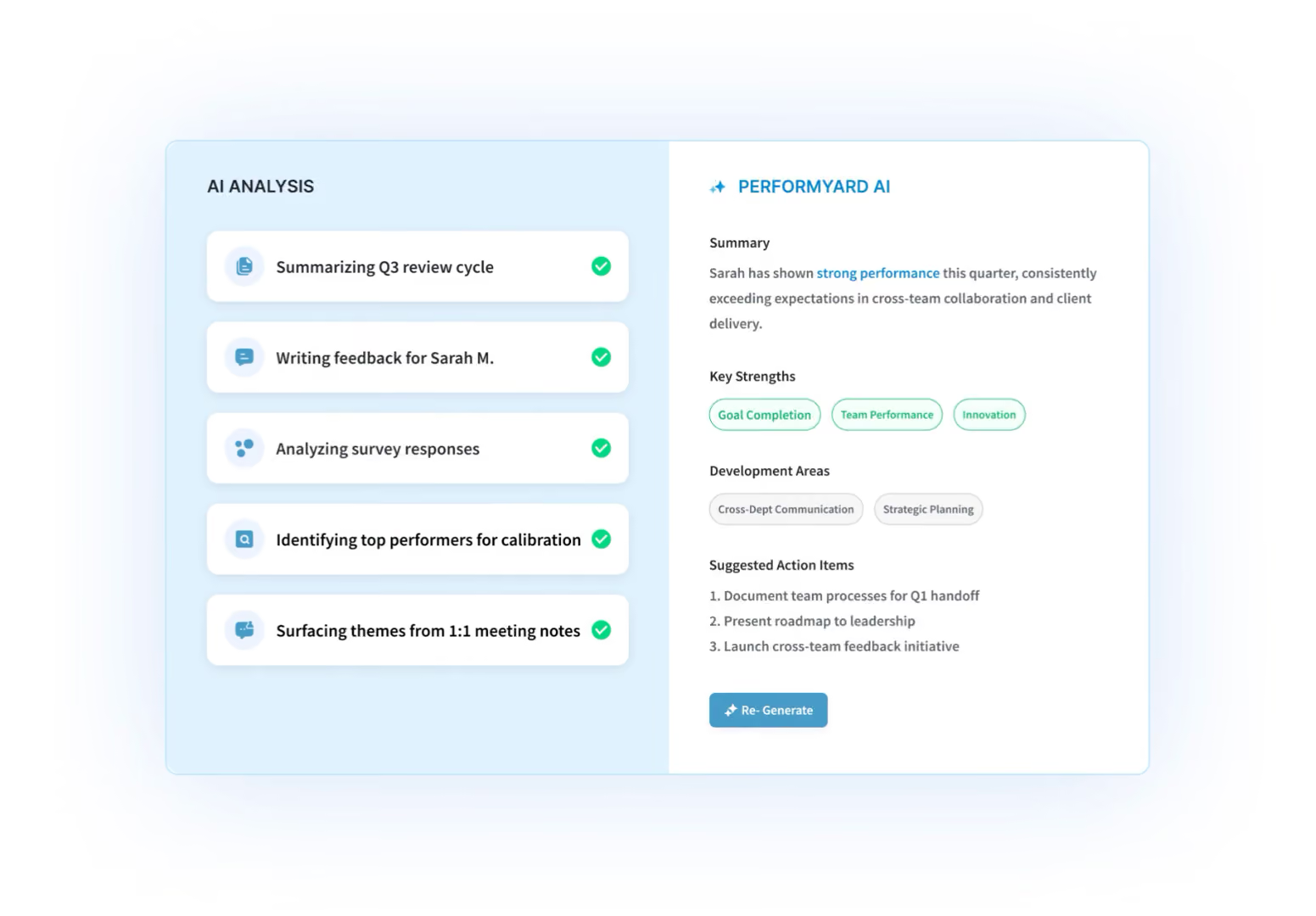
Tell the Platform What You Want
- Build review forms through conversation
- Create goals by chatting, not clicking
- Generate any report from a plain-language request
- AI summaries of reviews, meetings, and cycles

Goal Management
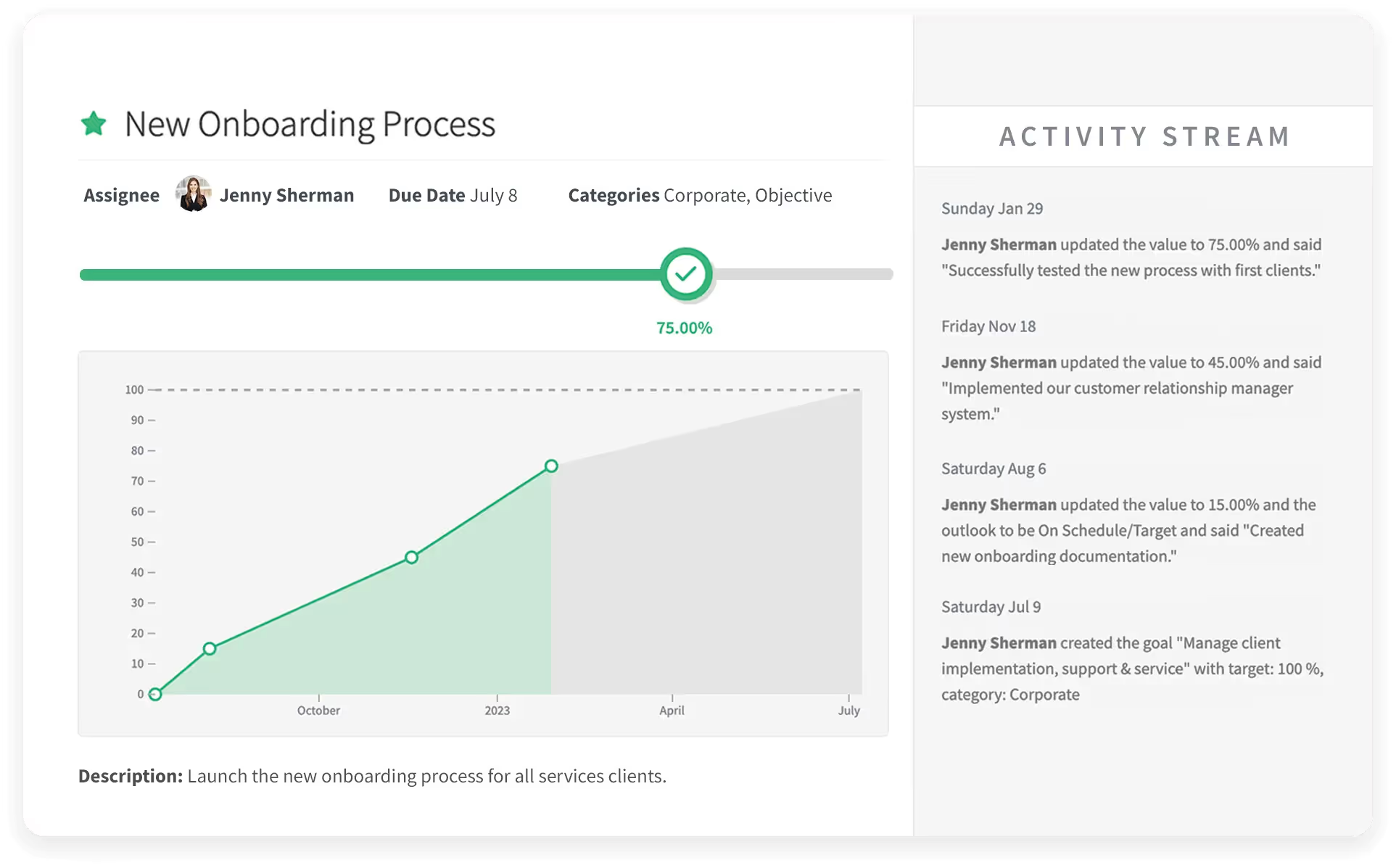
Set Goals People Actually Follow Through On
- Individual, team, and company goals
- Cascading and aligned objectives
- Progress check-ins and updates
- Goals tied directly into reviews
Continuous Feedback
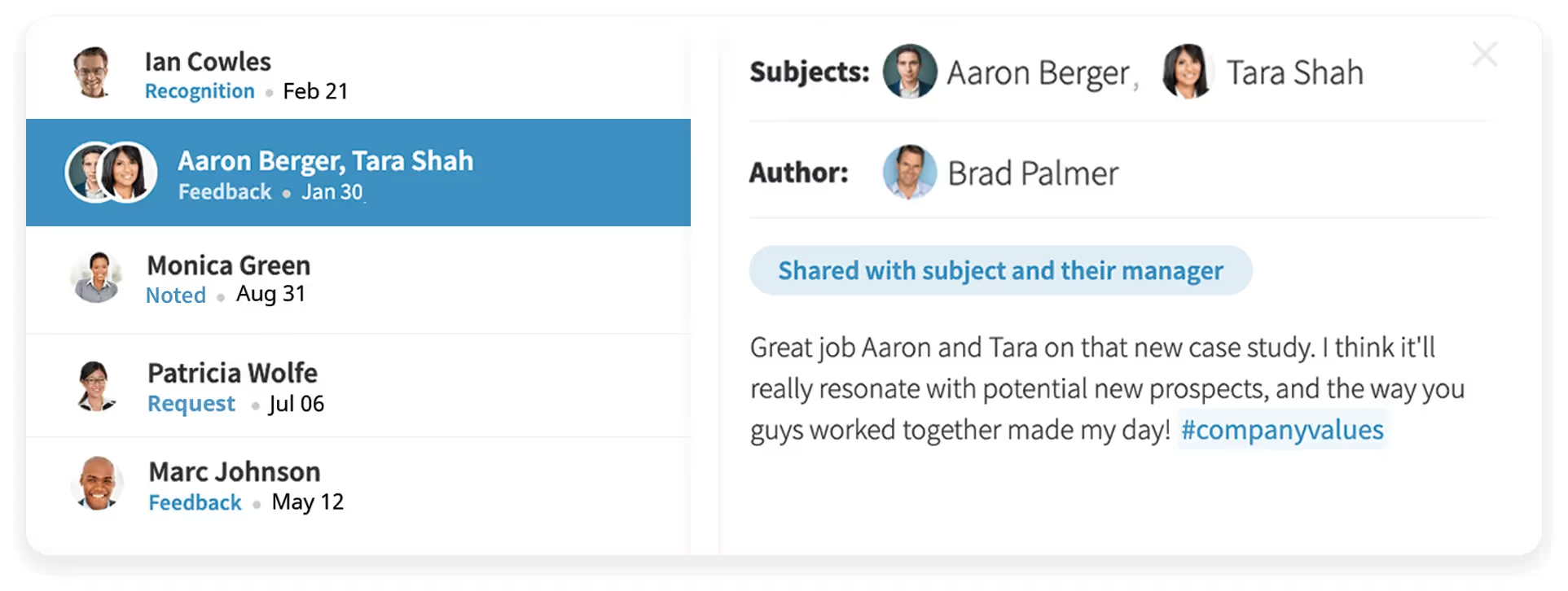
Make Feedback a Habit, Not an Event
- Real-time recognition and feedback
- Public or private visibility options
- Feedback that feeds review cycles
- Simple enough that people actually use it

Reporting & Analytics
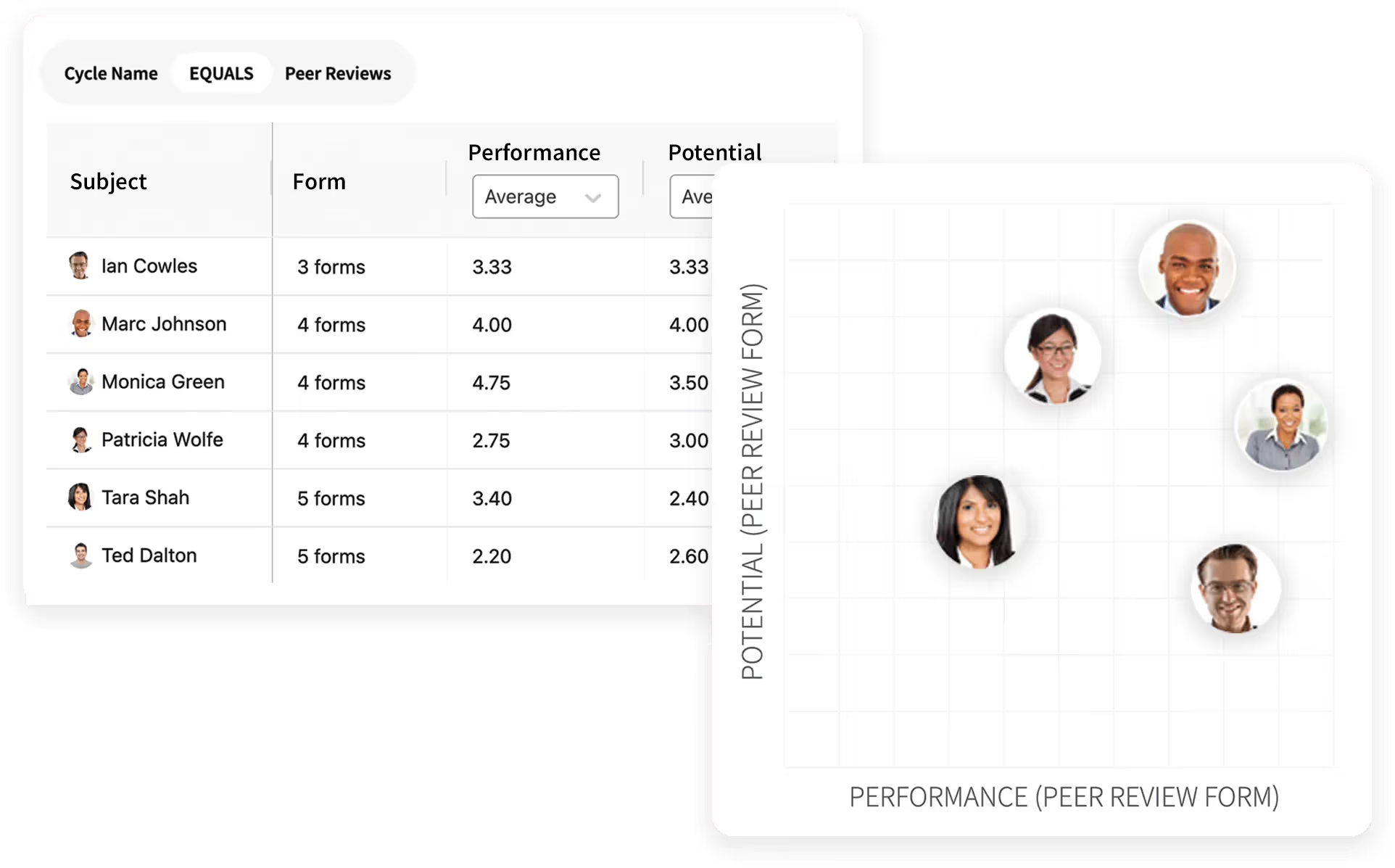
Turn Performance Data Into Decisions
- Cycle completion and participation tracking
- Rating distributions and trend lines
- Nine-box and calibration views
- Exportable, shareable reports

Employee Engagement
.avif)
Know How Your People Are Really Doing
- Anonymous engagement surveys
- Benchmark and trend tracking
- Drill-downs by team and department
- Action planning from results

Meetings

Run One-on-Ones Worth Showing Up For
- Shared agendas and talking points
- Notes and action items in one place
- Ties into goals and feedback
- Meeting history at your fingertips

Surveys

Get Answers From Your Whole Org
- Custom surveys in minutes
- Anonymous or attributed responses
- Automated reminders
- Results reporting built in
Ask PerformYard AI
Put Your Performance Data to Work
- One intelligence layer, connected to your reviews, goals, meetings, and feedback
- Recommendations built from your data, in your company's context
- Meeting notes inform goals; review outcomes feed comp and growth plans
- Every cycle makes the next one smarter

Coaching
Insights that Find You
- Employee Insights: a complete view of each person's performance and development.
- Meetings Coach: Pre-meeting prep and post-meeting analysis
- Goal Quality Coach: Ensures every goal is aligned with your organization's philosophy.
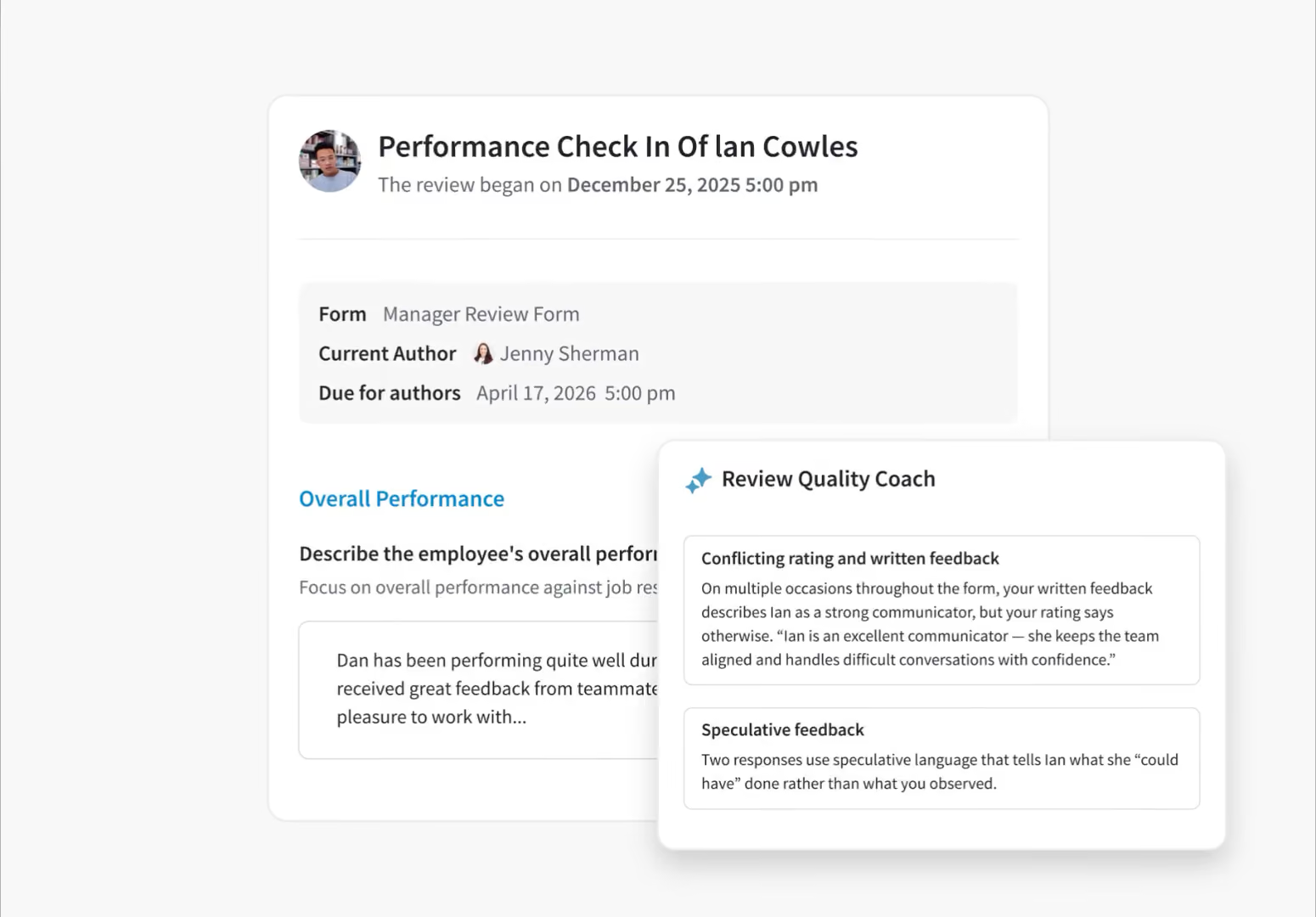
- Review Quality Coach: Detects bias in reviews and flags before submission.

Compensation
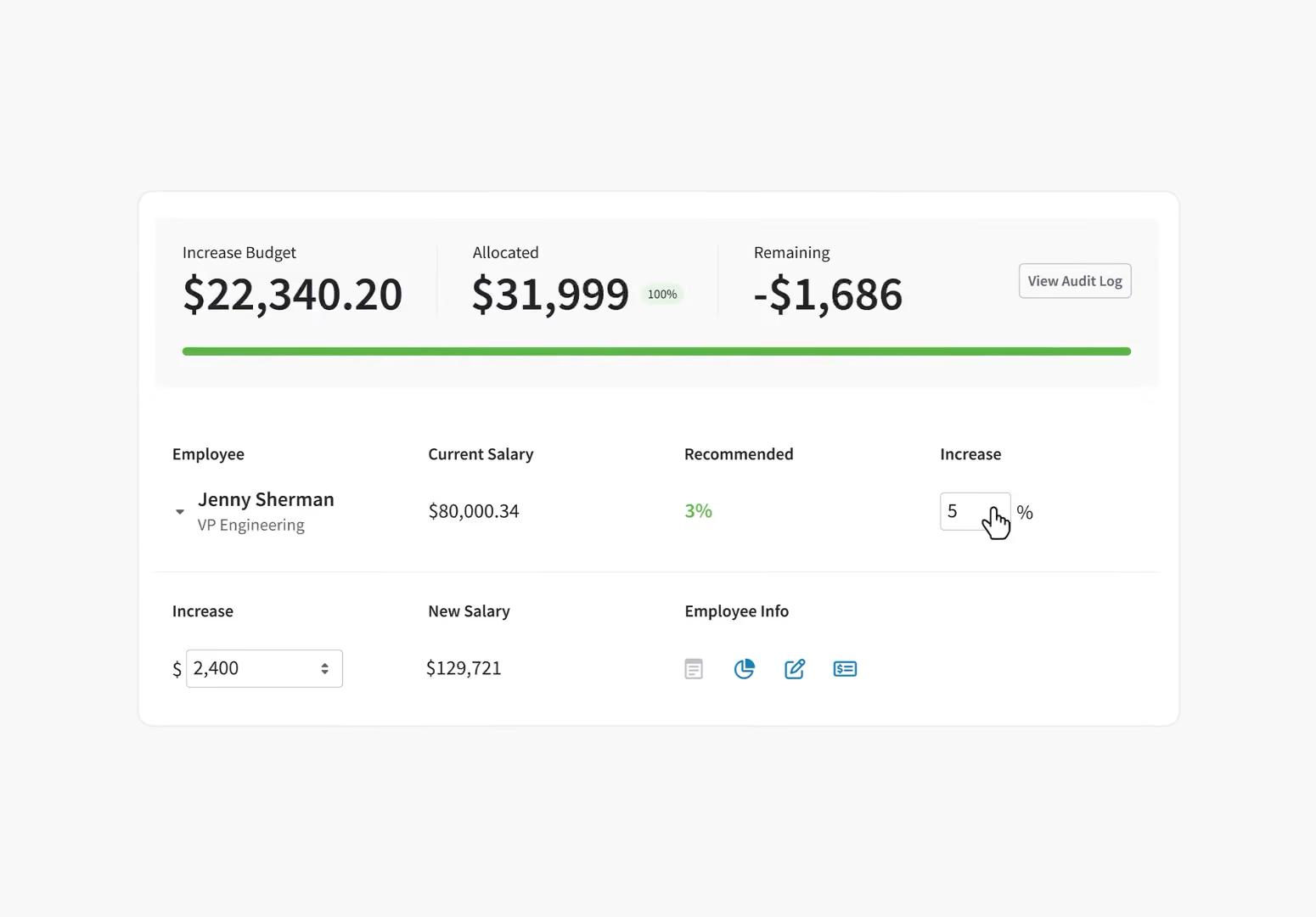
Pay Decisions Backed by Performance Data
- Comp reviews connected to performance
- Transparent, defensible pay decisions
- Budget and approval workflows
- Merit cycles without the spreadsheets

Skills & Competencies
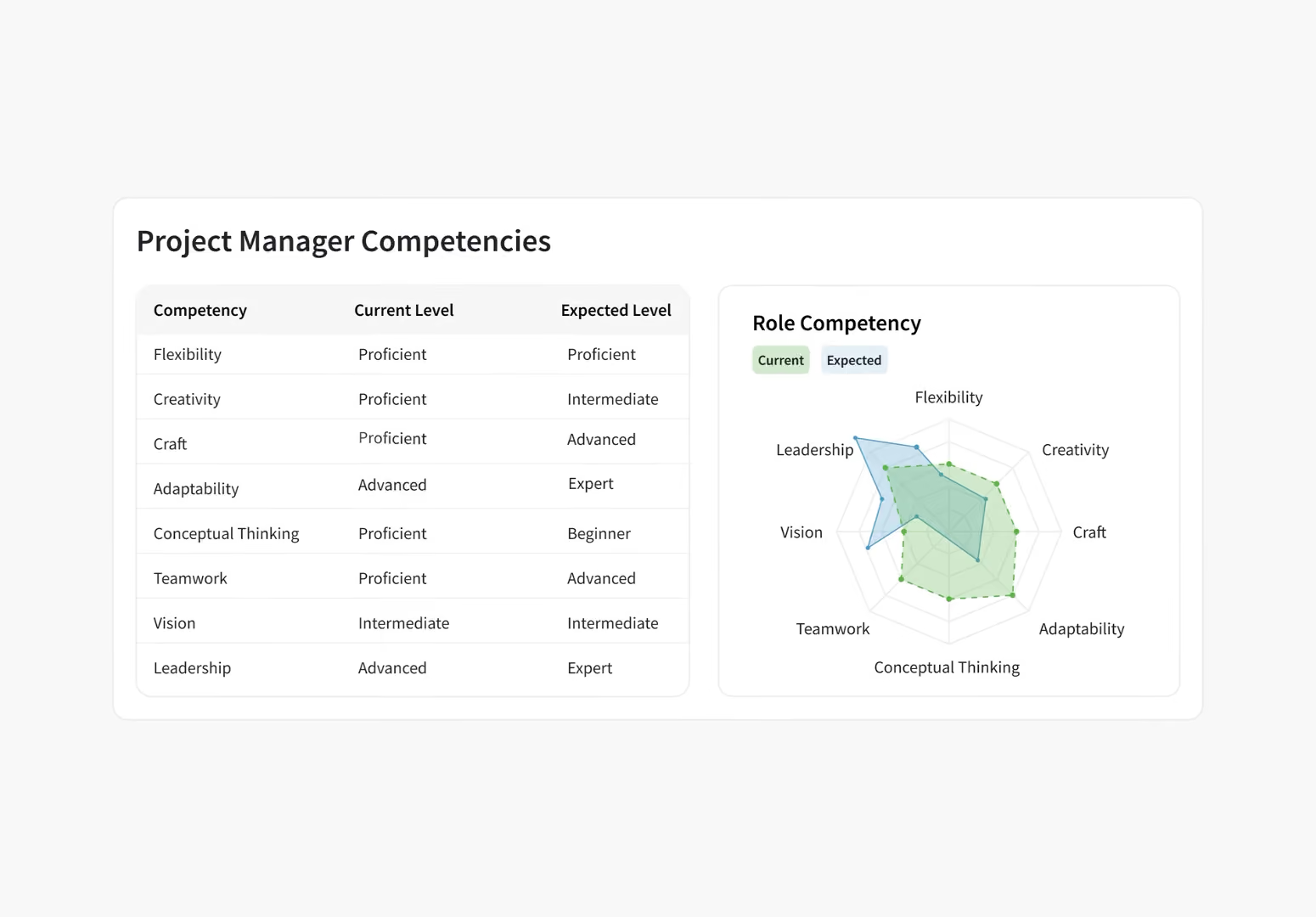
Give Every Employee a Blueprint for Growth
- Define competencies by role and level
- Assess skills in reviews and check-ins
- Show employees the path forward
- Career pathing built on real data
Frequently Asked Questions
What key features should HR teams evaluate when choosing AI performance management software?
The most important features to evaluate in performance management software are bias detection, time savings, system integration, data security, and predictive analytics. AI performance management software should reduce bias, save time, integrate easily, protect data, and provide actionable insights for your HR team. Bias detection - The AI identifies and flags potentially biased language or ratings in reviews. Time savings - Automated drafting and data analysis should cut review time by 50% or more. System integration - The platform syncs with your existing HRIS, Slack, and other tools. Data security - Employee information stays protected with enterprise-grade encryption and compliance. Predictive analytics - The AI spots trends in your performance data and highlights where a manager may want to check in.
- One-click survey deployment across multiple channels ensures high participation rates without complex setup or IT involvement
- Real-time response tracking and analytics help identify trends instantly so managers can address issues before they escalate
- Automated pulse survey scheduling maintains consistent feedback loops without manual intervention or administrative burden
- Integrated performance management tools connect survey insights directly to reviews, goals, and development plans
- Executive-ready dashboards and reports visualize engagement data in clear formats that drive informed decision-making
- One-click survey deployment across multiple channels ensures high participation rates without complex setup or IT involvement
- Real-time response tracking and analytics help identify trends instantly so managers can address issues before they escalate
- Automated pulse survey scheduling maintains consistent feedback loops without manual intervention or administrative burden
- Integrated performance management tools connect survey insights directly to reviews, goals, and development plans
- Executive-ready dashboards and reports visualize engagement data in clear formats that drive informed decision-making
What is PerformYard AI Review Assist, and how does it help managers?
PerformYard AI Review Assist is a built-in writing tool that turns bullet points into clear, professional review language in seconds. PerformYard AI Review Assist turns your bullet points into clear, professional review language – drafted instantly using natural language AI. It helps you maintain a consistent tone, reduce time spent writing, and avoid unintentional bias.
How does PerformYard AI speed up your workflow?
PerformYard AI compiles detailed performance reviews into concise summaries instantly, saving HR teams and managers hours per review cycle. The AI reads full review text and generates an accurate, professional summary that aligns with your organization's tone. For teams switching from manual processes or basic performance management software, this is often the single biggest time savings they experience.
Can AI replace a manager's judgment in performance reviews?
No. AI should assist managers, not replace their judgment. PerformYard AI is designed with this principle at its core. Managers stay in full control of every review while AI handles the time-consuming parts like drafting, summarizing, and flagging inconsistencies. The best performance management software keeps humans at the center of every evaluation, and PerformYard is built to do exactly that.
What powers PerformYard AI?
PerformYard's models are optimized for the specific language and tone that performance management software requires.
Is PerformYard AI content editable?
Yes, everything PerformYard AI suggests is fully editable. You can accept, refine, or rewrite any content to match your voice and message.
