

PerformYard Now Works Inside Claude, ChatGPT and Copilot
PerformYard now works inside the AI tools your team already uses. With our new MCP server, organizations can connect PerformYard to Claude, ChatGPT or Copilot, ask about anything they’d normally find in PerformYard, and act on it right there in the chat.
Your HR team can now use prompts to get quick answers from the last review cycle or run a straightforward analysis of performance data. Managers can create goals for their team, schedule meetings, add agenda items and recognize great work, all from one AI chat window.
For most HR teams, the hardest part of performance management is getting busy managers to log in, keep their goals current and prepare for 1:1s. Many of those managers already spend part of their day using these AI platforms, so we’re bringing PerformYard to them.
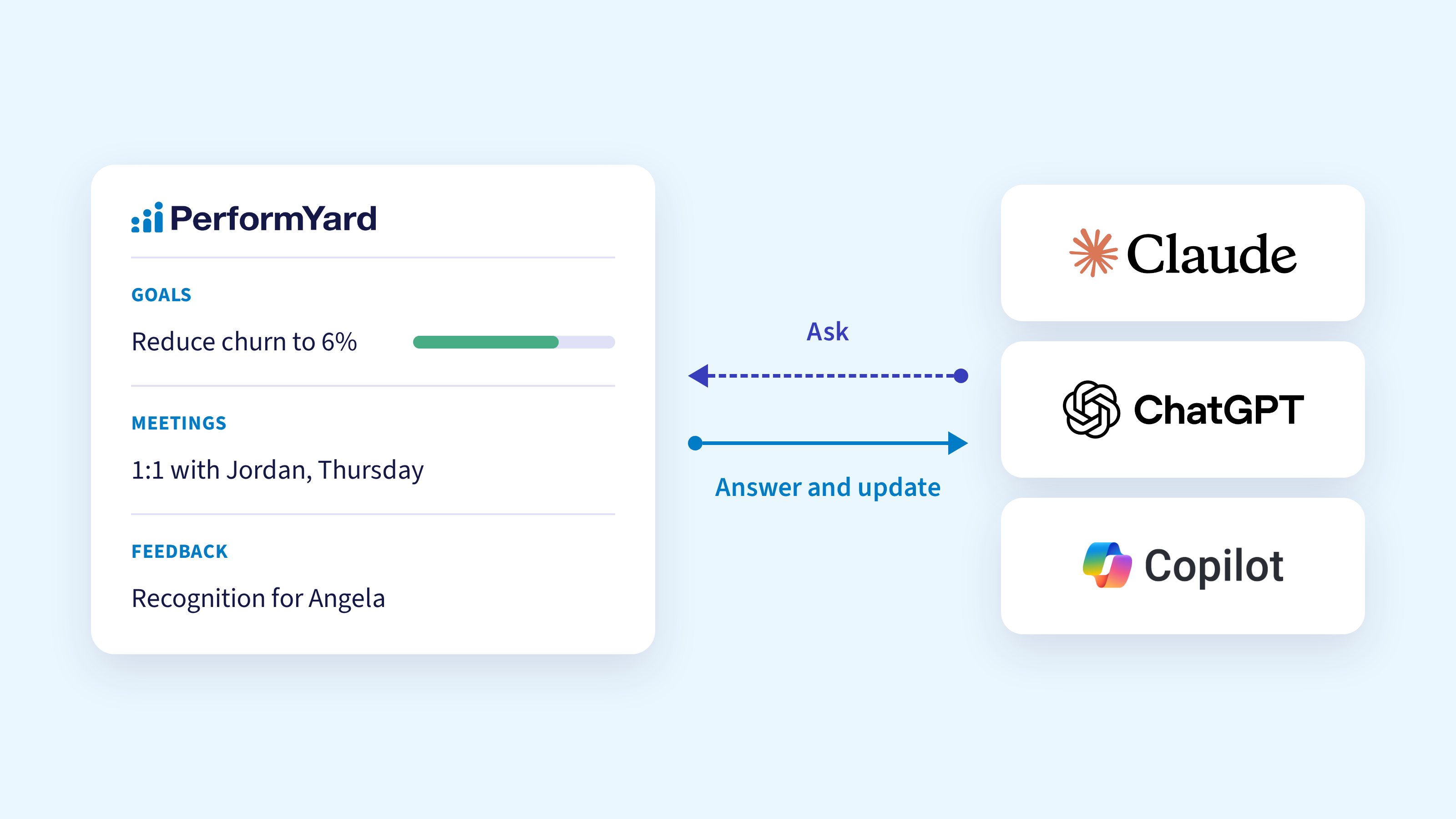
What's an MCP server?
MCP stands for Model Context Protocol, an open standard that lets AI assistants connect to the software you use at work. Your AI tool is connected to PerformYard through the MCP, it can look up the real, current information in your account and, if you allow it, make changes for you.
You don't need to learn to use the MCP. You ask questions the way you'd ask a colleague, such as "Who on my team hasn't had a 1:1 in the last month?" Your AI figures out what it needs from PerformYard, pulls the relevant info, and gives you the answer in a few clear sentences.

What managers and employees can do
The MCP connection lets Claude, ChatGPT and Copilot pull from the parts of PerformYard people use most often: goals, meetings, feedback, completed reviews and saved reports.
Managers can use it to prep for 1:1s, keep goals moving and recognize good work while it's still fresh. Here are a few things a manager could ask today:
- "Help me prepare for my 1:1 with Jordan."
- "Summarize the feedback I've given Jordan over the last six months."
- "What goals do I have due this quarter, and which ones are behind?"
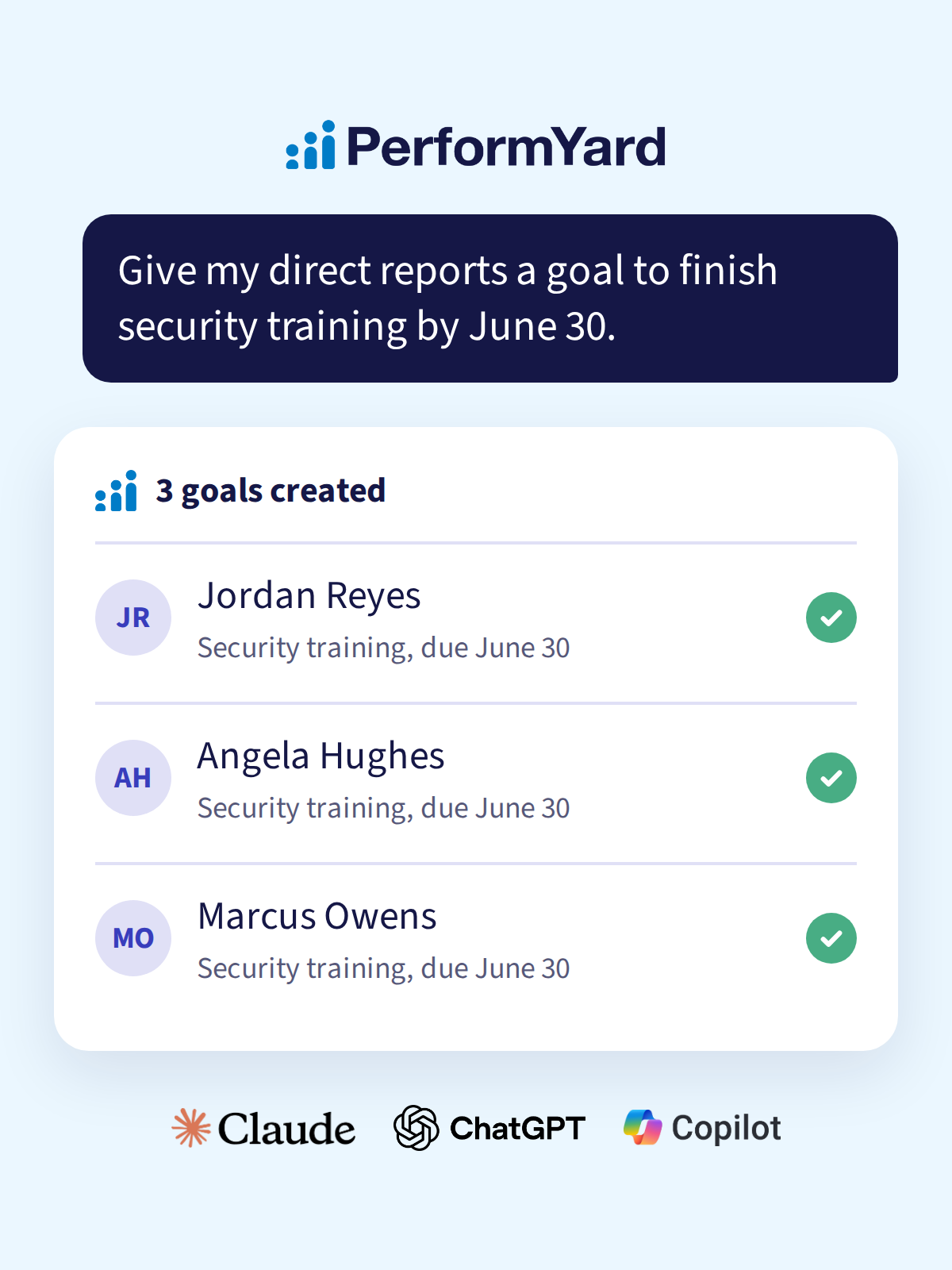
- "Give each of my direct reports a goal to finish security training by June 30."
- "Add 'Q3 roadmap review' to my team’s next meeting agenda."
- "Give Marcus a public shoutout for how he handled the contractor escalation."
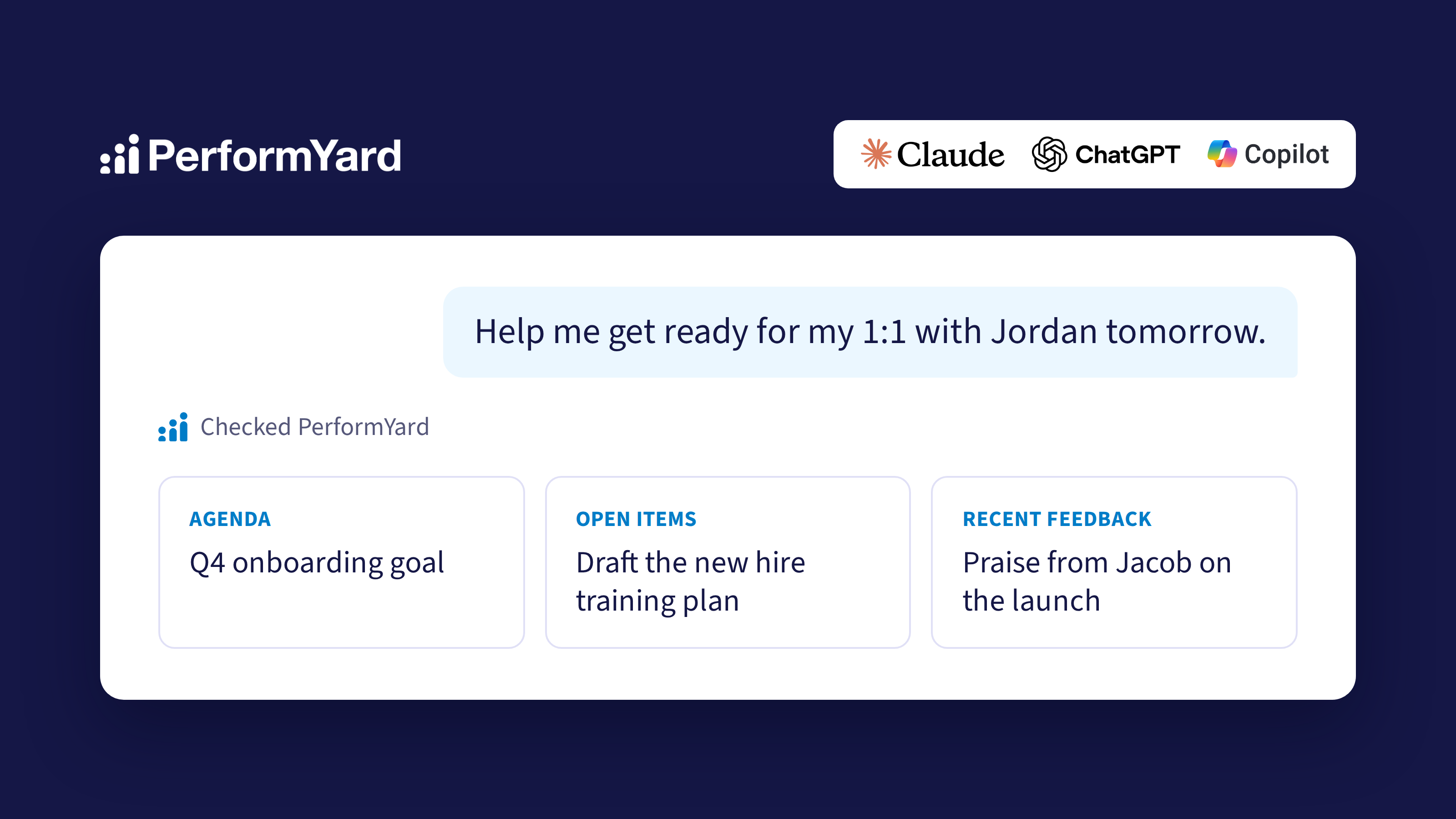
Here’s a quick example. When you ask for a 1:1 prep, Claude or ChatGPT pulls the meeting agenda, open action items and recent feedback together in one place, so you spend your few minutes before the meeting thinking about the person instead of clicking around an app to find things.
What HR admins can do
For HR, the biggest change is how quickly you can get from a question to an answer.
You can ask Claude, ChatGPT or Copilot about the data you already have and get a written summary back.
Here are a few ways PerformYard admins have told us they’re going to use it:
- Review analysis. Pull completed review forms by review cycle and compare how people answered specific questions across the company.
- Calibration prep. Grab the most recent completed reviews and spot patterns, themes and outliers before calibration meetings.
- Development plans. Gather an employee's last 12 months of reviews and goals, combine them with other information you have about their role, and draft an individual development plan to refine with their manager.
- Company priorities. Look across recent reviews for recurring themes, decide where the organization should focus to reduce employee turnover, and draft goals around those priorities.
- Saved reports and goal tracking. Run a saved report, such as goal completion by department, and ask the assistant to explain what stands out in plain language instead of charts and graphs.
PerformYard alongside your other tools
Tools like Claude, ChatGPT and Copilot can connect to more than one app at a time, and that's where this gets especially useful.
Let’s say you have a team that also works in project management tools like Jira or Monday.com. The team’s manager can ask Claude to count the milestones in their team's next project and then create a PerformYard goal to reference during performance reviews, all in a single prompt.
If you’re switching to PerformYard from another system, you can use the same approach to bring goals over without having to retype each one.
Some AI tools like Claude can also run tasks on a schedule. If your AI is connected to a tool like Salesforce, you could have it pull your latest numbers every week and update progress on the matching goal in PerformYard, so the goal stays current without anyone having to remember.
Your permissions, privacy and control stay intact
Performance data is sensitive, and we built the MCP server with that in mind from the start. Connecting an AI assistant never gives anyone more access than they already have in PerformYard.
- Same permissions as PerformYard. Every request is checked against the person's current role, so if you can't see a goal, review or report in PerformYard, the assistant can't see it either.
- Reading and changing are separate choices. When people connect, they decide whether the assistant can only look things up or also make changes on their behalf. If they choose read-only, the assistant never gets the ability to change anything.
- Confidential content stays protected. Private feedback notes stay with their author, anonymous reviewers stay anonymous, and in-progress reviews, meeting notes and transcripts are never shared with the assistant.
- HR stays in charge. If an admin turns the MCP server connection off, every connection across the company ends right away.
How to get started
If you haven't used Claude, ChatGPT or Copilot much yet, this is a good reason to start. Many HR teams feel pressure to start using AI without a clear place to begin, and asking about your own team's goals and meetings is a practical, low-risk first step that doesn't require any technical skills.
Getting connected takes a few minutes:
- The MCP server will be turned on for all customers. Admins will have a toggle to disable it in company settings.
- In the AI assistant you use, whether that's Claude, ChatGPT or Copilot, add PerformYard as a connector.
- Sign in with your usual PerformYard login and choose whether the assistant can only read your information or also make changes.
From there, just start asking. Your customer success manager will be happy to walk your team through setup and share ideas for where to begin.

Performance Management Benchmarks for Healthcare: How Organizations Actually Ran Reviews in 1H 2026
.jpg)
Performance Management Benchmarks for Construction (2026): PerformYard Data
.jpg)
